
Power of images
Power of Images -Haiku Deck
I have added this haiku to my JSSALC wikispaces page
Created with Haiku Deck, the free presentation app for iPad
#images #visualliteracy
Welcome to 2014
End of Year -Stocktake
It’s almost STOCKTAKE TIME.
This is a strange time of year as it is a tiring, yet satisfying experience. Although we do strategically stocktake different sections of the collection throughout the year, the end of year stocktake is much more significant and allows us to put the library back in place in preparation for the new year.
Stocktake is a time to take measure of what we do have, become re-acquainted with old friends and say good-bye to others. It can be hard to say good-bye to some items, so it is important use your Collection Management Policy and acronyms such as the MUSTY as a guide.
The following haiku deck is a great reminder for the staff about weeding the non-fiction collection.
This haiku was created by Dianne MacKenzie (Library Grits)
2014 Visioning… the message is in the image!
I am working on my vision for 2014 for the library. Instead of just presenting the same information to teachers about my goals for next year I have decided to use a few tools to allow staff to interact while getting my message over simply.
The theme for 2014 is CONNECT!
It links into the motto for the JS Library Search -Ask – Learn – Connect as well as the Book Week theme for 2014 which is Connect to Reading.
I have used Haiku Deck to create a base presentation, combined it with additional materials for those who wish to go deeper and materials for students.
Sharing the planet: Using apps to express and explore
The Prep students have been growing a garden as a part of their inquiry into Sharing the Planet.The students have been using tellagami, Scootle and iPads to share their learning.
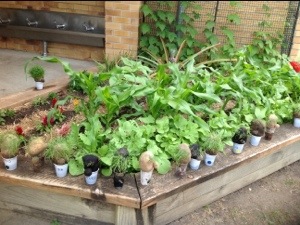
See below for links to these apps and some tutorials.
Apps
Using Scootle in Education Ed Of ICT wikispaces resources
<a
Telling our stories
Year 1 have been inquirying into stories and storytellling.
The central idea is:
People use a variety of stories for different purposes.
Some of the students have written wonderful stories that we have ‘published’ using apps.
So far we have experimented with the following apps
- MyStory
- StoryKit
- PixnTell

See below for some examples for the stories.
StoryKit – click on the audio icon to hear the students reading their story aloud.
Click here for a StoryKit tutorial.
My Story – Book Maker for Kids
PixnTell
The Pixn Tell app allows you to design your story and then publish it. Once published it is created into an audio file (MP4).
There are so many fantastic tools for creating digital stories.
Some of my other resources about teaching this can be found at my diggo digital storytelling links and Online Stories page at my JSSALC wikispaces.
Welcome to a new campus edublog for the Junior School!
We have migrated the data from our Edublog pro account to a Edublog campus site.
The old blog is still live but new posts will not be added or entries updated.
Students as creators and publishers
I love the tools that allow students to become their own publishers and creators.
There are many tools that support students to do this.
Some of these tools I have compiled on JSSALC Online Stories wikispaces page.
I am also excited by the simplicity of the iPad apps that support this process as well.
This list has some excellent examples of these.
Book Creation on the iPad
View more lists from Meg Wilson
